WinLine BI
Report Management
Our WinLine BI modules help you to collect, process and present your business-relevant data. You can use information from the various areas of WinLine for this purpose: order entry/invoicing, accounting, cost accounting, asset management, project management, HR, and data contained in user-defined lists.
Whether interactive analyses, clear reports, graphical analyses or further processing in Excel: WinLine BI offers you a wide range of options for analysing your business data and presenting it clearly. The integrated data wizard guides you through the process step by step. You can, for example, visualise your results as a Power Report or integrate them directly into your WinLine Cockpit. This allows you to keep track of key performance indicators and establish a sound basis for your business decisions.
Areas of Application
- Sales and turnover analyses
- Customer and market analyses
- Sales territory analysis
- Financial management and controlling
- Budgeting and planning
- Pricing and margin analyses
- Profitability analyses
- Stock and inventory analyses
- Production and quality analyses
- Project controlling
- Personnel cost control
WinCalc – Spreadsheet software integrated directly into WinLine
WinCalc provides you with a powerful spreadsheet tool integrated directly into WinLine, modelled on Microsoft Excel in terms of its structure, operation and range of functions. Thanks to a clear ribbon interface, familiar functions and a wide range of formatting options, you can create and edit your calculations and analyses with the utmost ease.
The key advantage:
You work directly with your WinLine data. Relevant information such as items, customers, accounts or documents can be incorporated directly into your spreadsheets and, if required, accessed directly from within the spreadsheet. In addition, you can import existing WinLine reports directly into WinCalc and integrate your calculations into Cockpits and Power Reports.This enables you, for example, to create price calculations, business management reports or customised analyses based on your company’s data. High processing speed, user-friendly editing functions and the ability to import and export Excel files ensure a smooth workflow.
WinCalc is included in the feature set of WinLine BI CORPORATE and is an indispensable tool for anyone wishing to process their data professionally and efficiently.
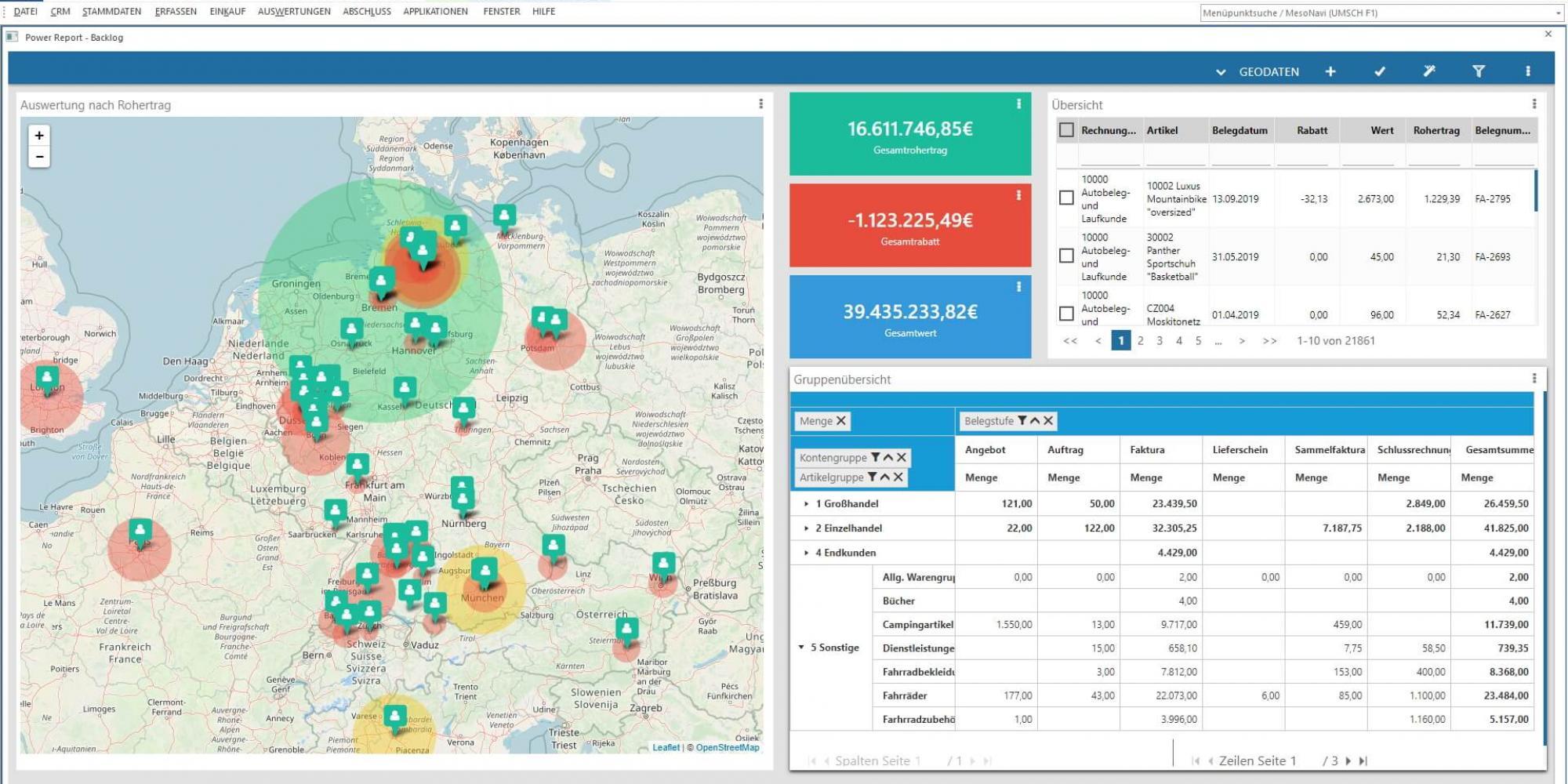
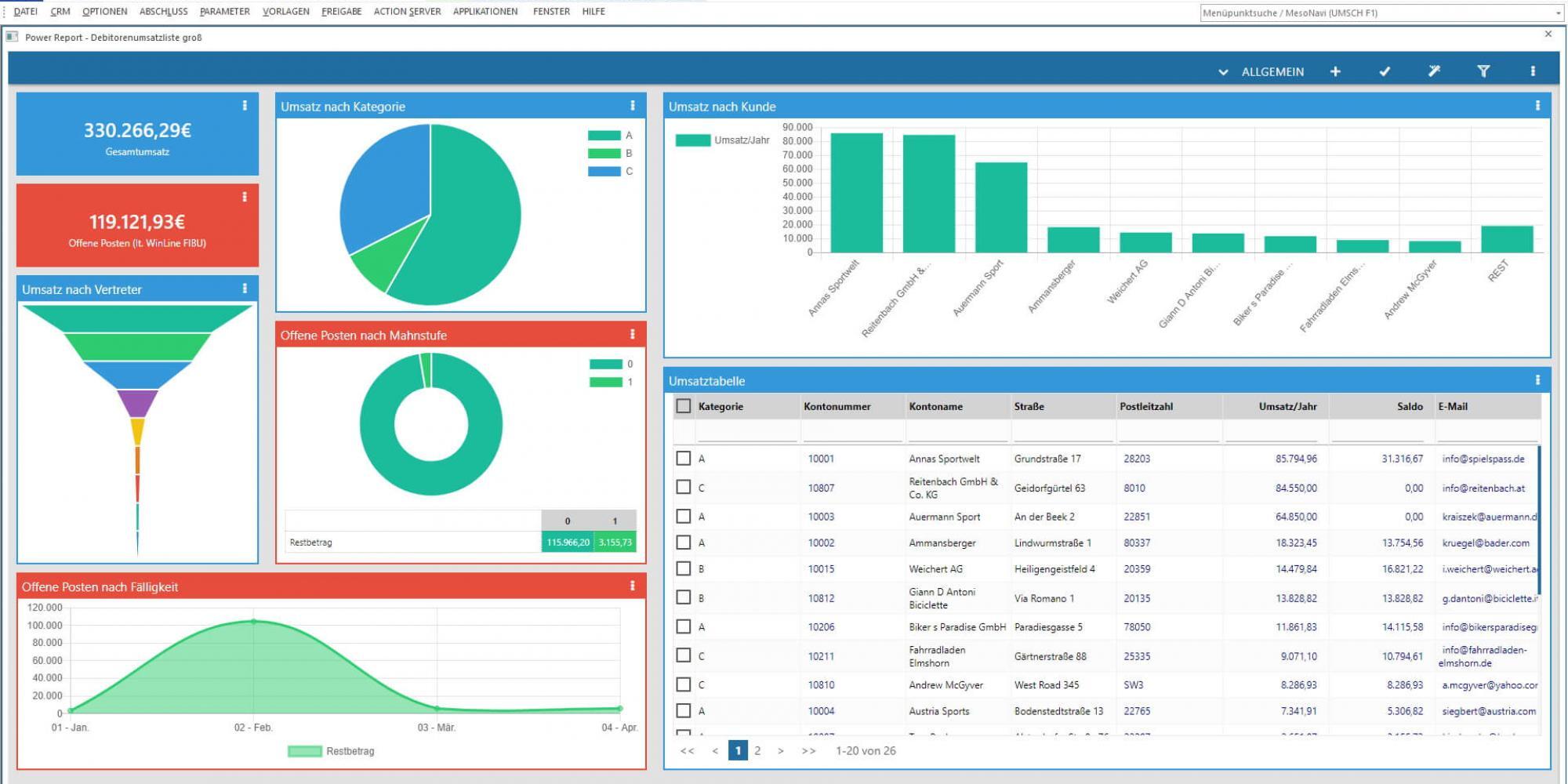
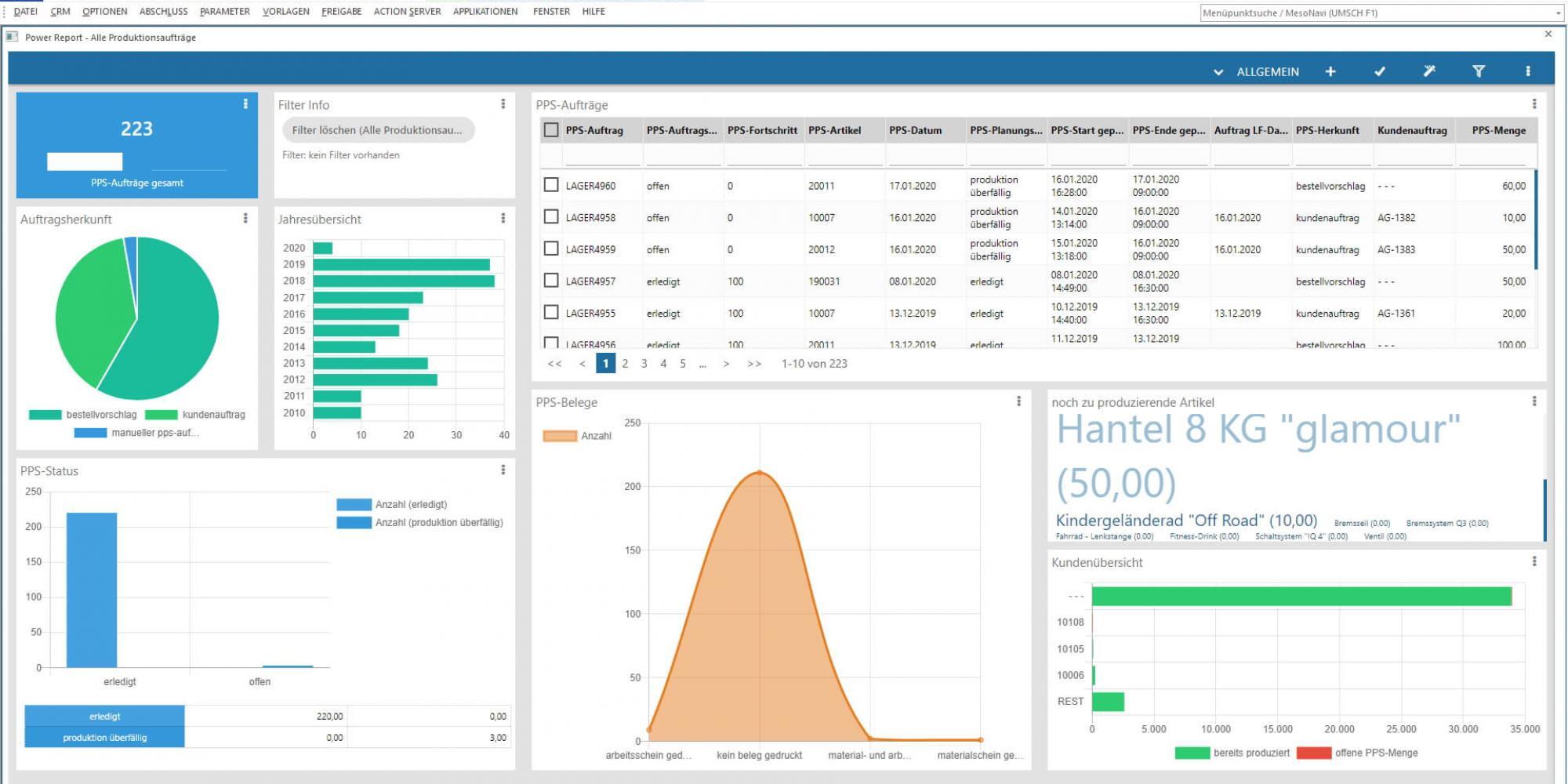
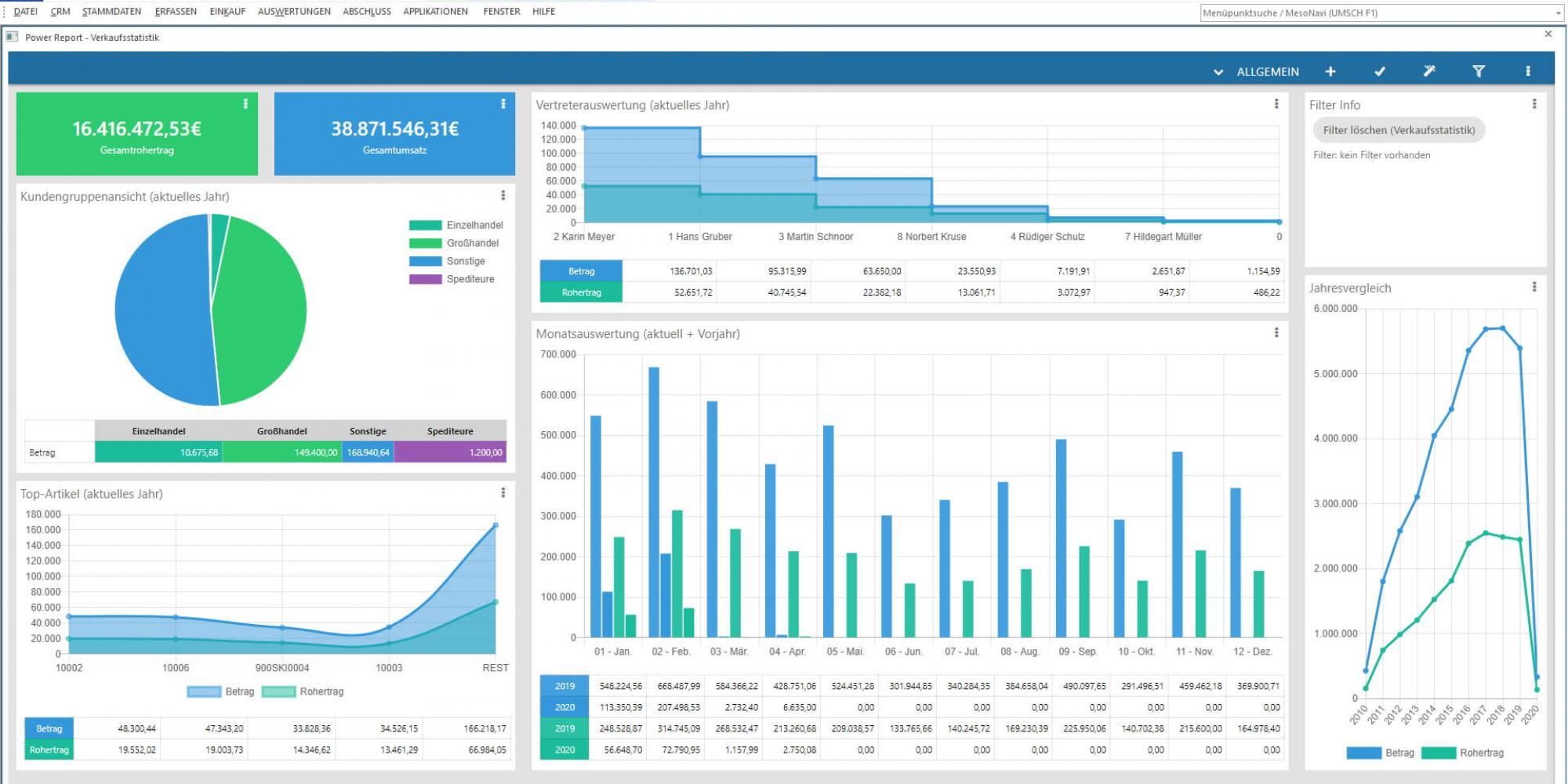
Example WinLine Power Report
BI Module Variants
WinLine BI offers a wide range of options for analysing and clearly presenting your business data. With BI BUSINESS and BI CORPORATE, you have a choice of two module variants, each with a different range of functions.
| Function | BI BUSINESS | BI CORPORATE |
|---|---|---|
| Reports on sales turnover, documents, and sales reps | ✓ | ✓ |
Reports on accounting posting journal data | ✓ | ✓ |
| Reports on cost types, cost centers, and cost objectives | ✓ | ✓ |
| Reports on budgets (Target/Actual) | ✓ | ✓ |
| Reports on fixed assets | ✓ | ✓ |
| Reports on project data (documents and budgets) | ✓ | ✓ |
| Reports on employee costs | ✓ | ✓ |
| Reports on user-defined lists from the WinLine LIST module | ✓ | ✓ |
| Numerous graphical display modes (with Power Report) | ✓ | ✓ |
| Insertion of Power Report widgets in Cockpits | ✓ | ✓ |
| Online/Mobile Data access | ✓ | ✓ |
| Annotations: individualized flagging properties in BI reports (remarks, status icon, etc.) | ✓ | ✓ |
| Creation and management of data sources | ✓ | ✓ |
| Saved data sets for recurring analyses (snapshots) | ✓ | ✓ |
| Real-time data views without prior storage (Views) | ✓ | |
| Linking and joint analysis of multiple data sets (MasterViews) | ✓ | |
| Import and Export of data sources | ✓ | |
| Integrated spreadsheet with WinCalc | ✓ | |
| WinCalc: Direct access to master data and selected transaction data | ✓ | |
| Enhanced Excel import and export with WinCalc | ✓ | |
| Cross-database analyses | ✓ | |
| Extra filter selection options | ✓ | |
| Automated updating of data sources | ✓ | |
| Automated updating of Power Report Widgets in the Cockpit | ✓ | |
| WinLine ACTION SERVER for periodic report generation/updating | ✓ | |
| Automatic Alerts | ✓ | |
| Status Icons - color-coding by defined threshold limits in report | ✓ | |
| Aggregation of multiple columns to one column (bracketing) | ✓ | |
| Customized report design | ✓ | |
| In-House Reporting | Add-on | |
| Graphical display of linked WinLine objects | Add-on |

